This is odd. I stumbled upon this, randomly posted it on Reddit, and the next day it was on the frontpage with 500 comments. Then MrBabyMan ripped it, and it landed on the Digg frontpage, and just now I found it on my favorite movie website Slashfilm. It’s a small world.
Optimizing Your Computer Use #1: Firefox Search Keywords
I’m a huge fan of optimizing the way I use my computer, if I stumble upon a task I know I will be doing in the future (e.g. looking up opening hours for the local grocery store) I usually try to make this task easier. So I’ll write a couple of articles about what techniques I use to do these things, the first being Firefox search keywords, which I’ve talked about before.
Firefox has a built in function that lets you add keywords for search fields on websites by right-clicking them and pressing “Add a Keyword for this Search”. This makes it possible to make a search on a site by typing “<keyword> <search term>” in the address bar (e.g. “i die hard” searches IMDb for “die hard”). This obviously has a lot of possibilities, and it’s probably the one thing that saves me the most time on a day to day basis. I use the following keywords:
- Google
A standard Google search. Type “g <search keyword>”. - Keepvid
Download video from sites like YouTube, Metacafe, etc. Type “d <video URL>”. - Port Check
Checks if a certain port is open. Type “p <port number>”. - Google Maps
Searches Google Maps. Type “gm <location>”. - Google Maps – Directions From Home
Search for a direction from your home. Change “blegdamsvej 78A, københavn ø, denmark” to your own address. Type “gmd <destination>”. - Google Translate
Type “gt <text or url>” to translate something from English. - YouTube
Search on YouTube. Type “y <search term>”. - WikiPedia
Search on WikiPedia. Type “w <search term>”. - IMDb
Search on IMDb. Type “i <search term>”. - Kino
Search on Kino.dk Type “k <search term>”. - RottenTomatoes
Search on Rotten Tomatoes. Type “rt <search term>”. - Play.com
Search on Play.com Type “p <search term>”. - UrbanDictionary
Search Urban Dictionary. Type “u <search term>”. - Ordbogen
Search on Ordbogen.com. Type “o <search term>”. - Google Currency Converter
Convert money to Danish Kroner. Type “dkk <amount and currency>” (e.g. “dkk 50 usd”). - Google Currency Converter (USD)
Convert from US Dollars to Danish Kroner. Type “usd <amount in US Dollars>”. - Google Currency Converter (EURO)
Convert from Euro to Danish Kroner. Type “euro <amount in Euro>”. - Google Currency Converter (POUNDS)
Convert from Pounds to Danish Kroner. Type “pounds <amount in Pounds>”. - Dansk Wiki
Search on the Danish WikiPedia. Type “dw <search term>”. - Wiktionary
Search on Wiktionary. Type “wi <search term>”. - Amazon.co.uk
Search on Amazon.co.uk. Type “a <search term>”. - Filestube
- Search for files on Rapidshare. Type “f <search term>”.
You can follow these steps to import my keywords:
- Right-click on my Search Keywords bookmarks file and choose “Save Link As…” Place the file somewhere on your computer.
- In Firefox, from the Bookmarks menu, choose “Manage Bookmarks”.
- From the Bookmarks Manager File menu, choose Import. Choose “Import Bookmarks from File.” Browse to and open the file you just saved.
The next article will be about Greasemonkey scripts.
My First Foray into Strategy Board Games
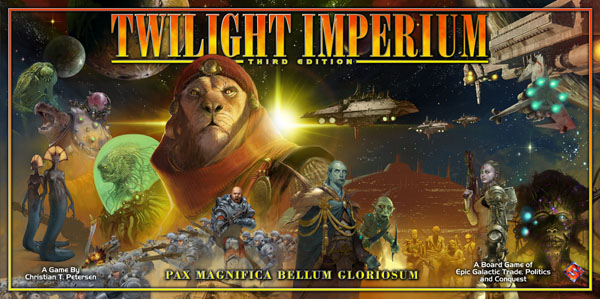
There’s something very fascinating about board games that successfully envelop you in fictional universes in a way that’s usually reserved to computer games and movies. Twilight Imperium is the first big strategy board game I’ve tried, and it did just that. Yes, it takes several hours just to set up and get into, but when you’re there it’s very entertaining and actually not very complicated. Ten races make up the game, and in the duration of a single turn you set up trade agreements, vote on political issues, gain technology, increase your fleet size, invade and capture planets, fight space battles and much more. One game consists of 10 turns, which didn’t sound like much to me, but when we stopped playing after 10 hours, at 6 in the morning, we weren’t even halfway there.
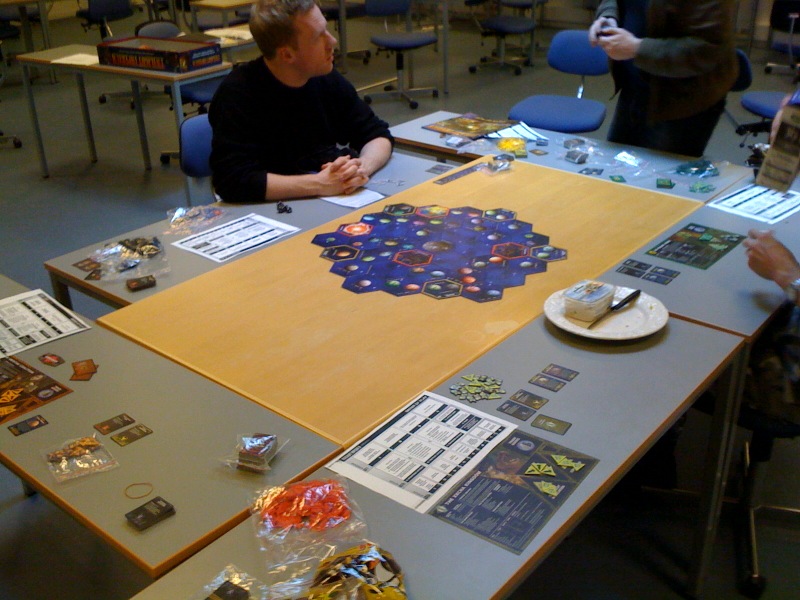
Setting up the game and getting into the rules, which took us about 2 hours.
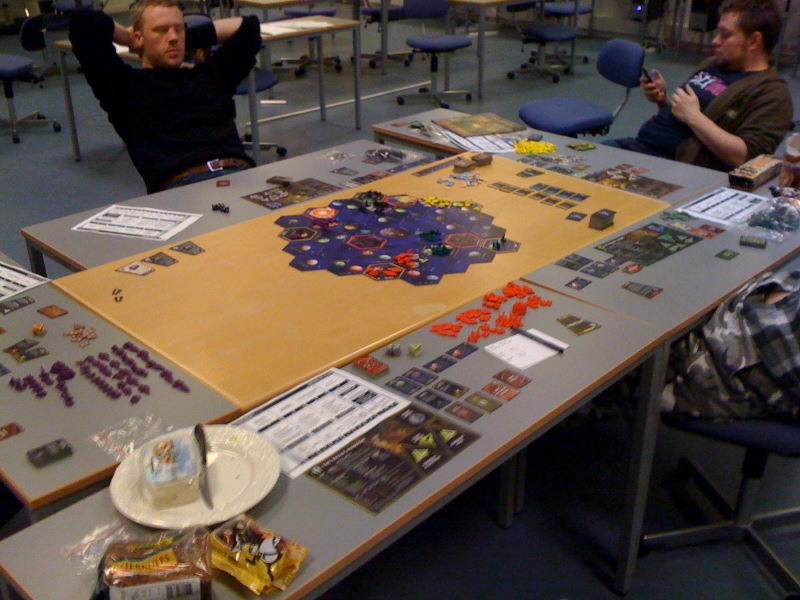
Under way!
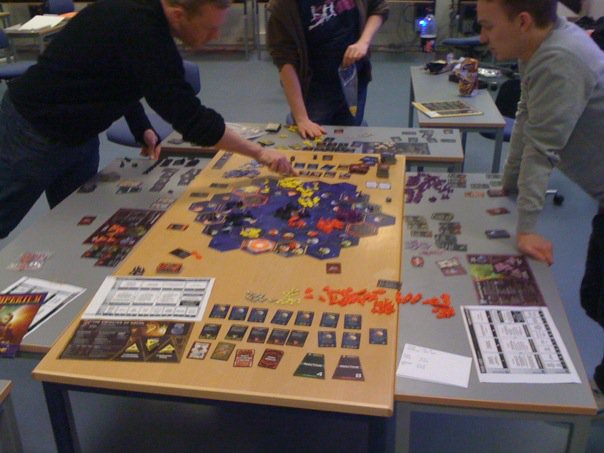
Moving units.
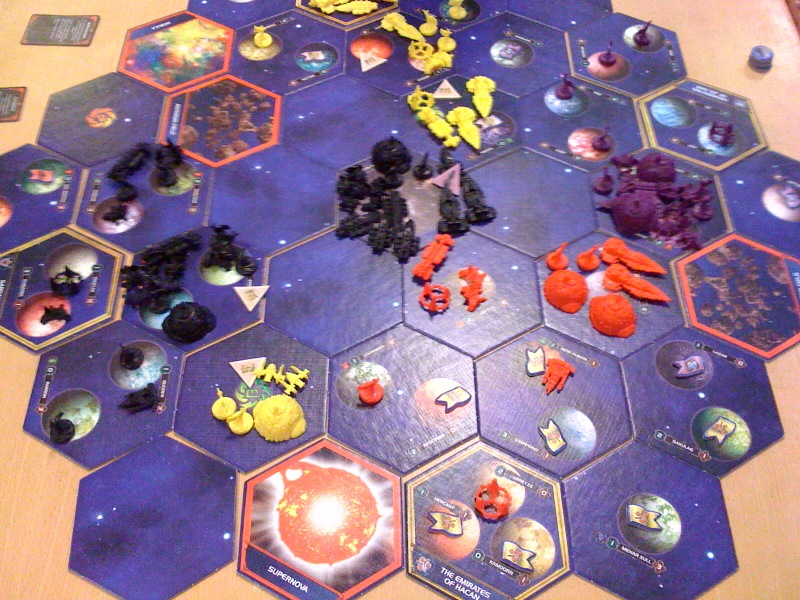
This was near the end of the game, a lot of units and battles, but we were just too tired to continue.
New Theme
I’ve been using the old theme for a couple of years, and in that time I’ve changed the code a lot, and recently my changes have started breaking plugins, and I have no idea what the cause is. Today I was looking for a nice movie rating plugin, I found an amazing one, but once again it looked broken. So I finally decided to look for a new theme. I’m pretty satisfied with this one, although it probably won’t be the final one.
The movie rating plugin can be seen in action on the “I Watch” page.
Bad Design: Paper Napkin Dispenser
I’m finding it kind of funny to write about examples of bad design, so here we are again. This is another example I stumbled upon at school.
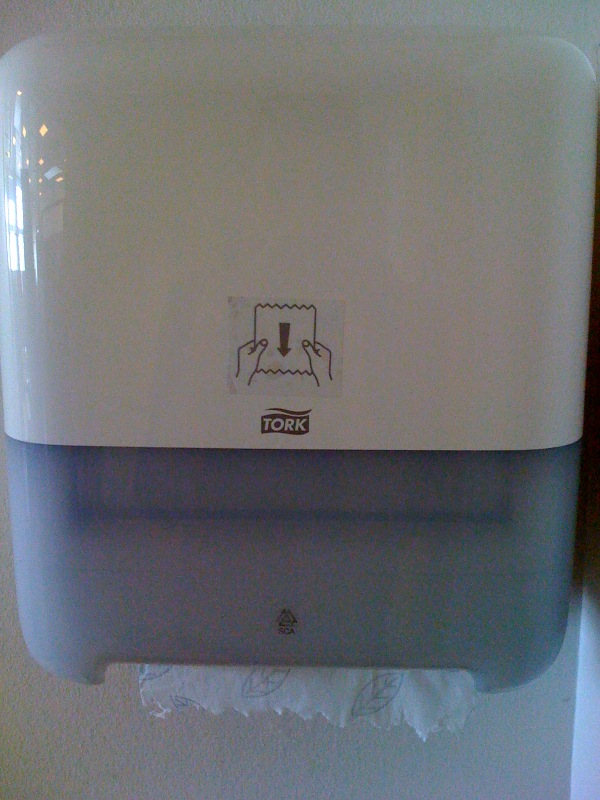
A paper napkin dispenser, looks fine and easy to use, right? Well, this dispenser is kind of a dummy, and if you pull the napkins, the dispenser doesn’t always pull new napkins down for the next person, and this suddenly reveals a new control:
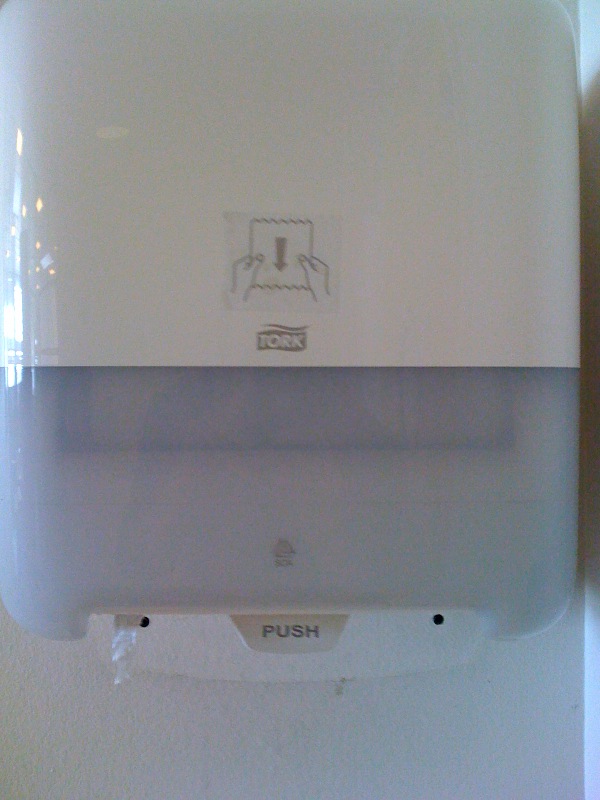
A button saying “PUSH”. So, the engineers and designers at “Tork” were faced with the problem of their dispenser not dispensing new napkins, but instead of fixing the dispenser, they just added another control. Basically, the “PUSH” button just pushes a new napkin down. Dumb.