NOTE: If you have any questions, write a comment.
CHANGELOG
27th of October, 2010: Tested with Windows 7.
12th of March, 2008: Tested with Windows XP.
The communities for old console games are quite amazing, I myself am mostly interested in Nintendo 64 games, especially The Legend of Zelda: Ocarina of Time (best game ever made), and I had heard about someone redoing all the textures. I finally decided to check it out and since it took me forever to figure this out, I thought I might as well do a guide about it.
Emulator
First of all you need an emulator to run the game, the most popular are 1964 and Project 64. Since I got everything working first on 1964, that’s what I’ll be talking about in this guide. So, without further ado:
- Download 1964 version 0.9.9 here.
- Install it.
Now we need a better video plugin, the most popular is the Rice Video Plugin version 6.1.1 beta 10. As far as I’ve understood a guy named ‘Mudblood’ started updating it after that, so this is the last version made by ‘Rice’ himself.
- Download Rice Video Plugin version 6.1.1 beta 10 here.
- Unpack it and put the two dll files in this folder: C:/<installation folder>/1964/099/plugin/.
- You need another file though, it’s called BMGlib.dll and you can download the package here.
- Unpack it and put the dll file in C:/<installation folder>/1964/099/.
Now we need to configure 1964.
- Open the program.
- Go to Plug-ins -> Change Plug-ins.
- Select Rice’s Video Plugin 6.1.1 beta 10 from the dropdown window under System Default Video Plugin.
- Press OK.
- Go to Plug-ins -> Video Settings.
- Go to the General Options tab.
- Change Full Screen Resolution to something higher (like 1024 x 768).
- Uncheck Hide Advanced Options.
- Press OK (closing the options window).
- Reopen Plug-ins -> Video Settings.
- Go to the Texture Filters tab.
- Change Texture Quality to 32-bit Texture.
- Change Texture Enhancement to 2x (Double the texture size).
- Check Load hi-res textures if available.
- Press OK.
That’s all for setting up the emulator.
ROM
Now you need the rom, the game itself. I can’t really help you with that, although looking here may be a good idea. The rom I’m using is called Legend of Zelda, The – Ocarina of Time (U) (V1.0), the guide may work on other versions of, though. If you find the rom you can run it from 1964 by pressing Ctrl + D and then selecting the folder where it’s located.
Cell-Shading and Hi-Res
This is really what makes it worth going through all this trouble to play the game. The texture packs are rather hard to find, but I found two of the most popular. The first one is made by a guy named ‘Djipi’. He spend 1,5 years redoing every single texture in the game, making it look like Wind Waker. The second pack is with high-resolution textures, which look a lot like the textures from Twilight Princess. This is how you install them:
- Download the cell-shading package here (mirror 1, mirror 2).
Or, download the hi-res package here (mirror).
UPDATE: I found a more complete, community-created hi-res package, download here. (More info, video and screenshots here.) - Unzip the package you selected.
- Put everything into C:/<installation folder>/1964/099/plugin/hires_texture/ (you may need to manually create the hires_texture folder).
- Now your directory structure should look like this: C:/<installation folder>/1964/099/plugin/hires_texture/The Legend of Zelda.
If that’s the case you’re done! If you want to try the other package you can rename the The Legend of Zelda folder, and then put the other folder in there. Now, when you open up 1964 and double-click the rom the emulator should start going through all the new textures before loading the game. If it doesn’t find anything you probably forgot to check Load hi-res textures if available.
Taking it to the next level
Playing Ocarina of Time on a keyboard isn’t quite the same though, I decided to buy this, so now I use my wireless Xbox 360 controller to play it and all my other roms. Also, you can connect eight controllers to it, which is awesome.
There are also some unfinished high-resolution texture packs for Ocarina of Time but I haven’t been able to find working download links. There are a lot more texture packs on emutalk.net, but, as I said, it’s pretty hard to find packs that are totally done. Anyway, hope the guide is helpful, here are some screenshots:
Cell Shading Package
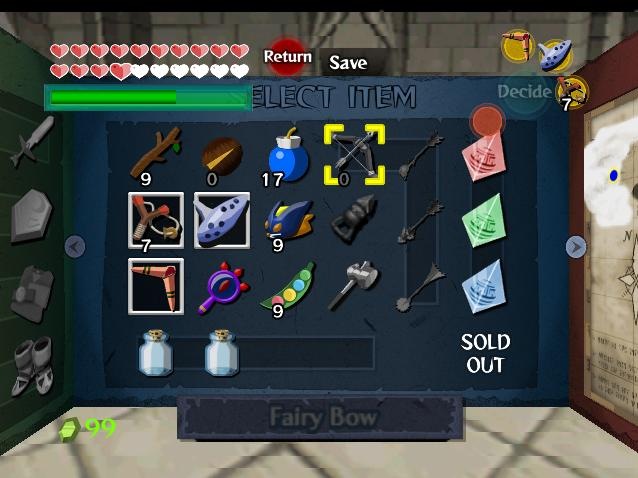
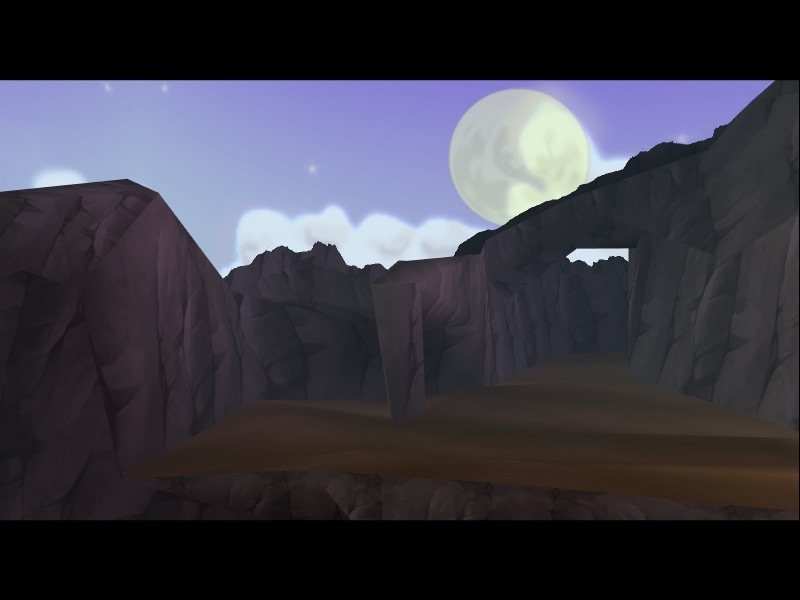
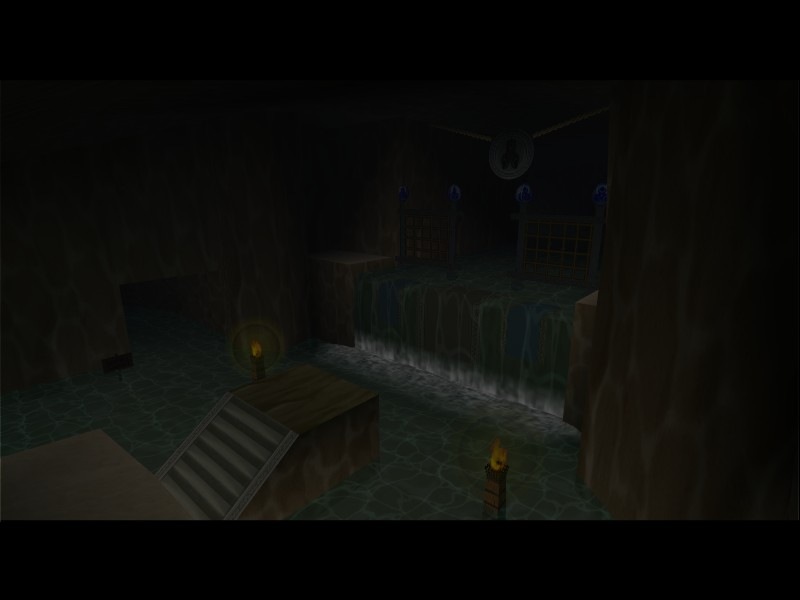
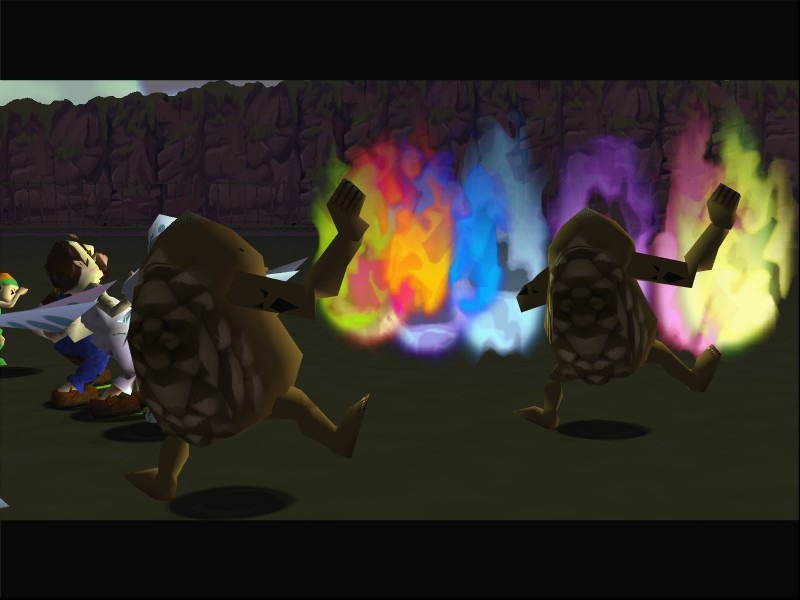
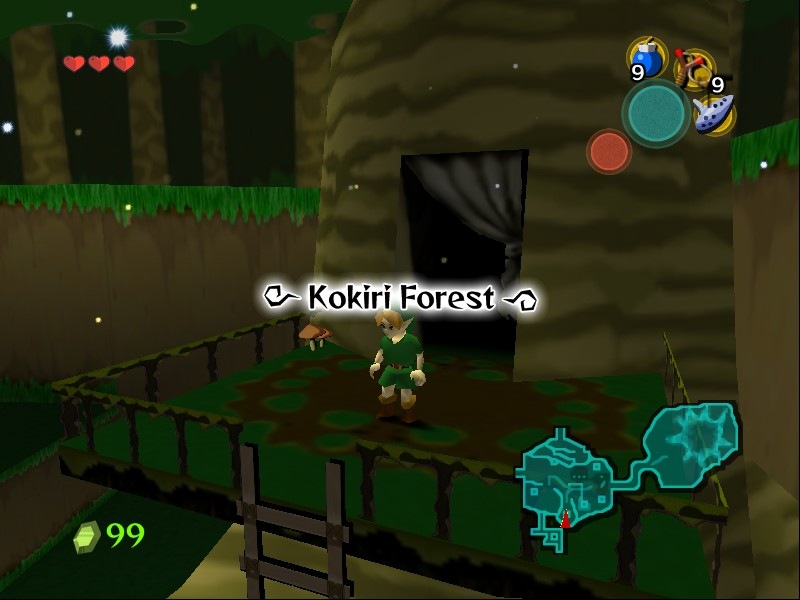
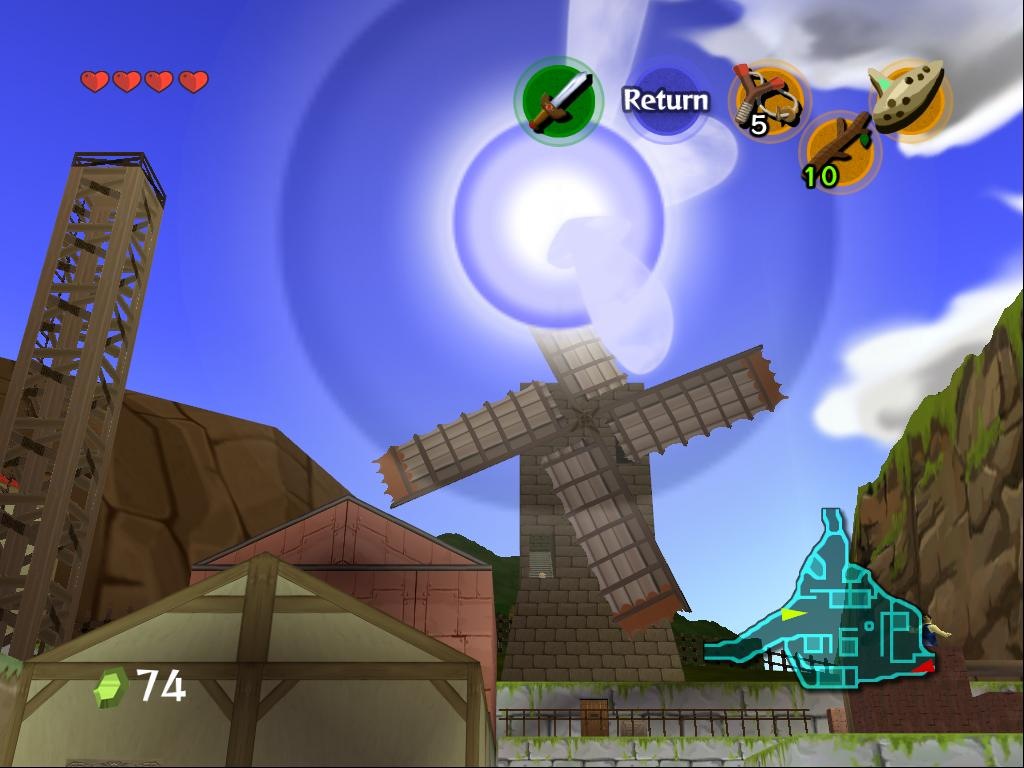
High-Resolution Package
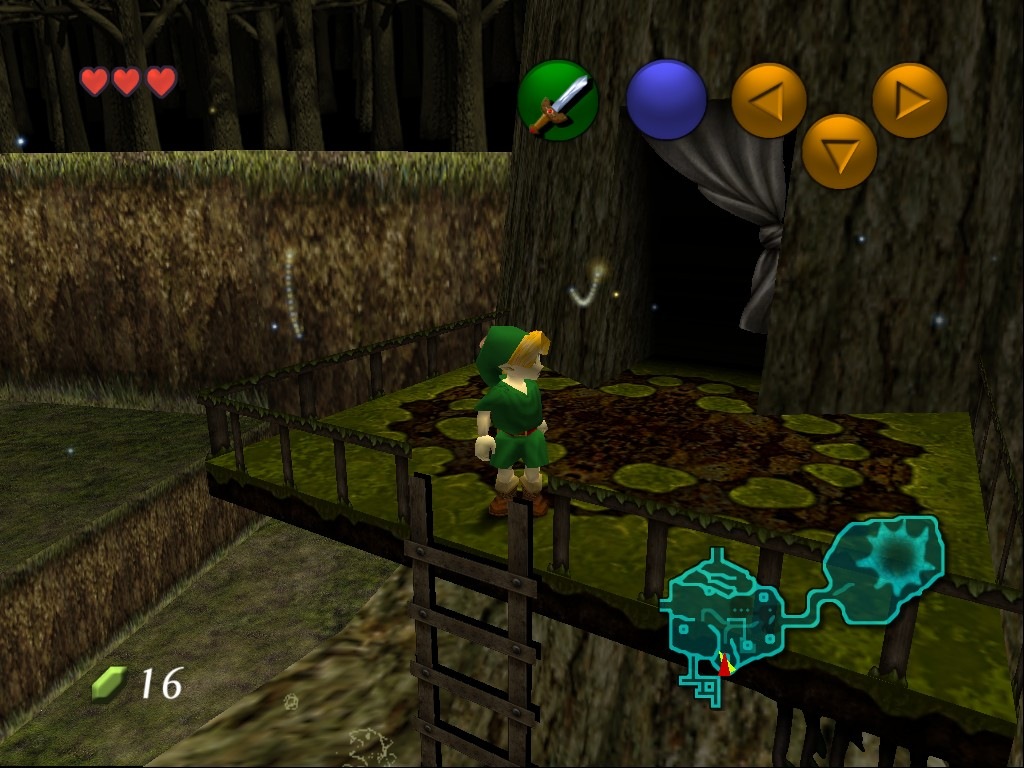
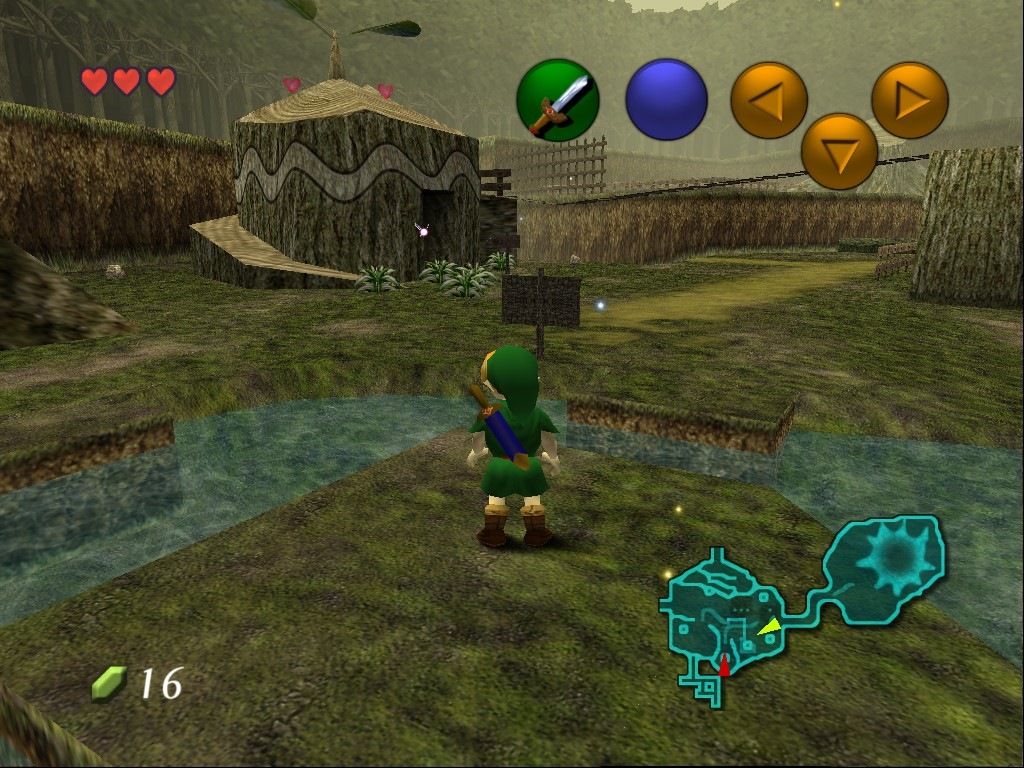
Nørd :P
\o/
Hi, i loved your article, but there is a problem with the hires texture pack link, could you please reupload it and post or send me a link, i would be very grateful if you did since i cant seem to find it anywhere
thnx
Sure, here it is: http://www.adrive.com/public/7971a6fc8fa95769bbffcd8ca7b4bc9817ced4af517e6b2af6b874e31f55322f.html
Thank you so much for this great tutorial and the link to the texture mods. They are so great. Another reason why I play the best game of the world again and again and again. Zelda FTW!
Nice job! This was a very descriptive and helpful tutorial. I don’t think anyone could go wrong with this!
But…How do you do it on Project64?
Nevermind. I got it. If you want me to post it… I will….
BUT IT LAGS MAJORLY!!!
Help???
Well, I haven’t tried that program so I wouldn’t know.
Okay. Thanks for the help on the 1964.
wtf i can’t find the rice plugin 1.6 beta or w/e i download it and im still stuck with the freakin rice plugin 5.2.0 wtf is wrong with is? i download and download and nothing…..what am i doing wrong? i put it in the plugins spot and yet still nothing…….
I would like to know if you could do one for PJ64??
#13 Try to uninstall the emulator and delete any left over folders manually. You probably have to restart the program to see the new version of the plugin.
#14 I’ll think about it. :) I made this guide because there is so little proper information out there, and it took me a while to put it together.
Hey, I’m kinda having the same problem as #13, I installed 1964 and everything, then moved the .dll files, but in the program I still can’t select Rice 6.1.1, only the default. Any suggestions?
It’s been a while since I had it installed, so I don’t really have any suggestions, sorry. Maybe the default plugin will work?
i dont get the part where it says put the 2 ricevideo.dll files in the folder
C://1964/099/plugin/, i cannot find that folder where do u get it?
plz someone tell me
No, that’s not what the guide says, it says “C://1964/099/plugin/”, so the folder is wherever you decided to install it.
oh ok i figured it out lol but it aint working i think i forgot something so im gonna go recheck and ill say if it works
k i figured it out idk where too put the BMGlib.dll file. i cant find the folder idk wat too do!?!
ok i found out everything but, when i try the twilight princess one it dont let me download from the website
dis shit is dum cuz i followed all tha directions an every thing but it still wont workok help me out i think tha part i got lost on was adding tha cell shadeing it said tha file was corrupted an i couldnt extract it so something is wrong with that an did you say replace tha name of tha hires_texture folder of with the game title are did u mean make a new folder an put it in tha folder.Dats not all i also got some problems on that youtu video u posted on how to change tha color of tha link and i need to know how can u make clones of different monsters of tha game cause dis shit is just confusin an i need help
its about time they made a high-resolution version. i hope nintendo does this for the wii and game cube!!!!!!!!!!!!!!!!!!!!!!!!!!!!!!!!!!!!!!!!!!!!!!!!!!!!!!!!!!!!!!!!!!!!!!!!!! if there is tell me evey thing!!!!!
i cant get it to change and i dont know what im doing wrong but the graphics dont change and ive downloaded every thing change the graphics thing and put in the cel-shade pack but it wont change
im having trouble installing the dll files, what do i do?
Thanks, dude.
Oh, wait, the VIDEO Plug-In won't change, it always says “Rice's Daedalus 5.2.0”, and on the down-scroll thing it doesn't show the RICE's I've put in the plugin folder…
whoOAY?
Sorry, I posted this back in March, and haven't really played around with it since, so I don't really remember. :-/
So, is there any way for this to work for Mac users?
If you find a Mac compatible Nintendo 64 emulator there might be.
How do I play this without a controller?
what about prject 64? how does it work on there???
I don't know, there was never a reason for me to try that one out.
on the ” Plug-in” there is no rices video and there is no general tab please help me
Det ser rigtig fedt ud. Nintendo bør seriøst overveje at gøre noget lignende og lægge det ud på Virtual Console!
Forresten vil jeg mene, at Majora's Mask er bedre end Ocarina of Time :)
Det er blasfemi.
Yo I dont Know If I'm Doing somthing wron but i seriously need help with the plugin sttings I dont see Ricevideo1.6 beta i download it over and over and over and over agian and it staying on the defualt one HELP ME PLEASE
I'm sorry, I don't have Windows XP installed on my Macbook anymore, so I can't check it myself. I don't know if the programs mentioned have been updated either, if they have settings may have changed, so check if you have the same software versions as mentioned in the guide.
I Did Everly last thing in the guide but it still not moving from rice'sdeaulaous 5.2.0 and i did install it and place it in the pluging folder.
I just found out the error but i don't know how to fixit just now when i open up on the emulater i went on pluging>chang pluging it said that the bmg.dll either not disng for windows or it cantains a error. any suggestions
If you'd make the effort to at least spell the error message correctly I might be able to help you.
When u go to plugings when the emu is up and it says that bmg is either not for windows or file has a error is bmg for windows or does it have a error i hope its a error i really have alot of texture packs and i really want to be able to play them please any help i have windows vista unltimate
sory let me spell it corecly it says C:/Program Files/1964/099/bmglib.dll is either not desinged to run on windows or ot contains an error. Try installing the program again using the original installation media or contact your system aministor or the software vendor for support. and that is it . can u help me with this?
I guess it's because you're running Windows Vista then.
do u no a website that i can download 1964 that is virus free?
@Jacob, there's a link IN THE GUIDE!
So what do i do?
Install Windows XP I suppose.
I have xp and it almost work it got to a part where it was load ing but it stopped and i figured out what happened what happened was when i opened the emu it said “Rice’s Video Plugin 6.1.1 beta 10 cant read ini file